Case study · Scale AI · MoEHE Qatar
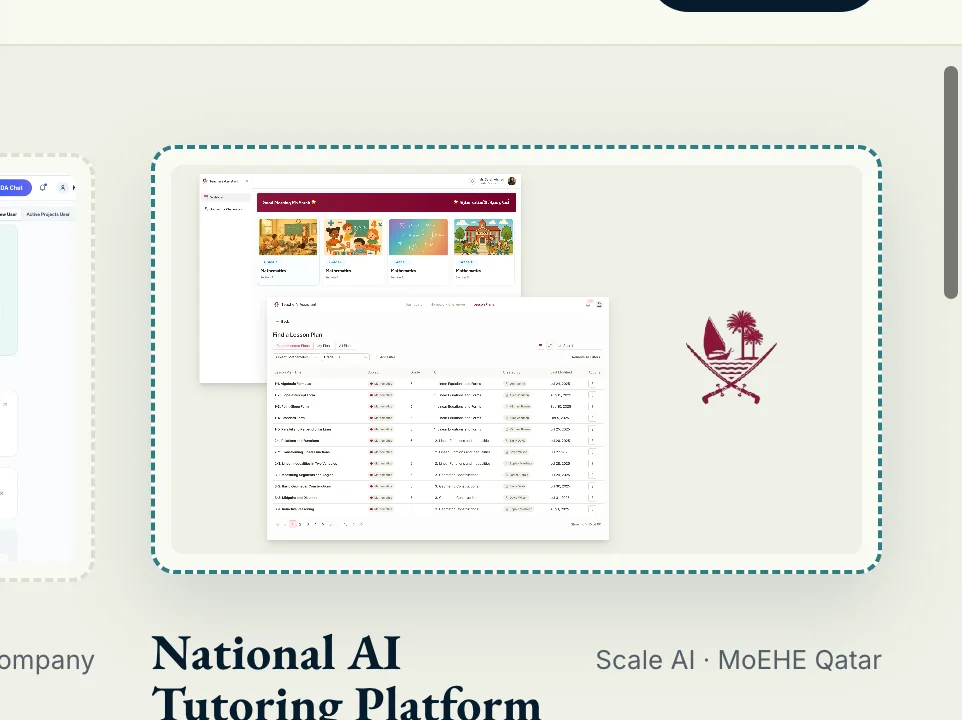
National AI Tutoring Platform.
Lead Product Designer on a generative web application for Qatar’s Ministry of Education & Higher Education — a tutoring platform that helps teachers track student progress, identify areas needing attention, and generate curriculum-aligned assignments with AI. Shipped bilingual — Arabic (RTL) and English (LTR) — at national scale, in three months.
- Role
- Lead Product Designer
- Client
- Scale AI · MoEHE Qatar
- Year
- May–July 2025
- Status
- Shipped at national scale

Overview
A central hub for teaching, not a chatbot.
The AI Tutoring Platform is a generative web application designed for the Ministry of Education & Higher Education in Qatar. Its job is to help teachers manage homework more efficiently — but the platform’s real purpose is to serve as a central hub where educators track student progress, identify areas needing attention, and generate assignments with AI.
Three months, end-to-end. Three personas — teachers, students, and Ministry administrators. Two languages running in true parallel. Curriculum-grounded, not improvised.
AI architecture
Trained on the curriculum, not on the internet.
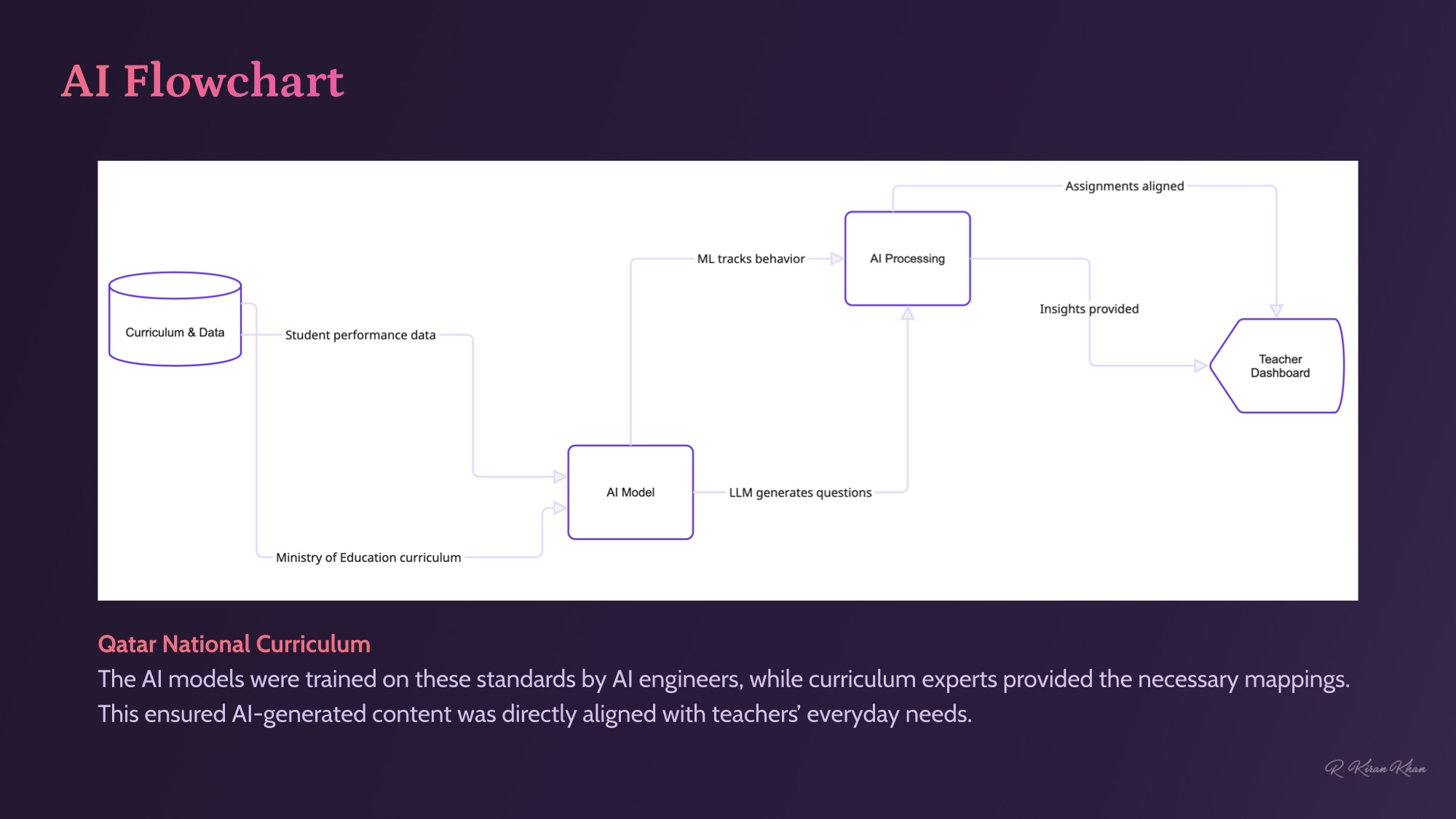
AI engineers trained the underlying models on the Qatar National Curriculum; curriculum experts provided the necessary mappings between syllabus standards and generated content. The result: every AI-generated lesson, homework question and insight lines up with what teachers are actually trying to teach.
Approach
Four moves, three months.
- 01
Research, then shape
Led end-to-end product design — user interviews, ideation, IA, user flows, prototyping and testing — alongside business requirements and curriculum-expert input to inform every decision.
- 02
Design system before UI
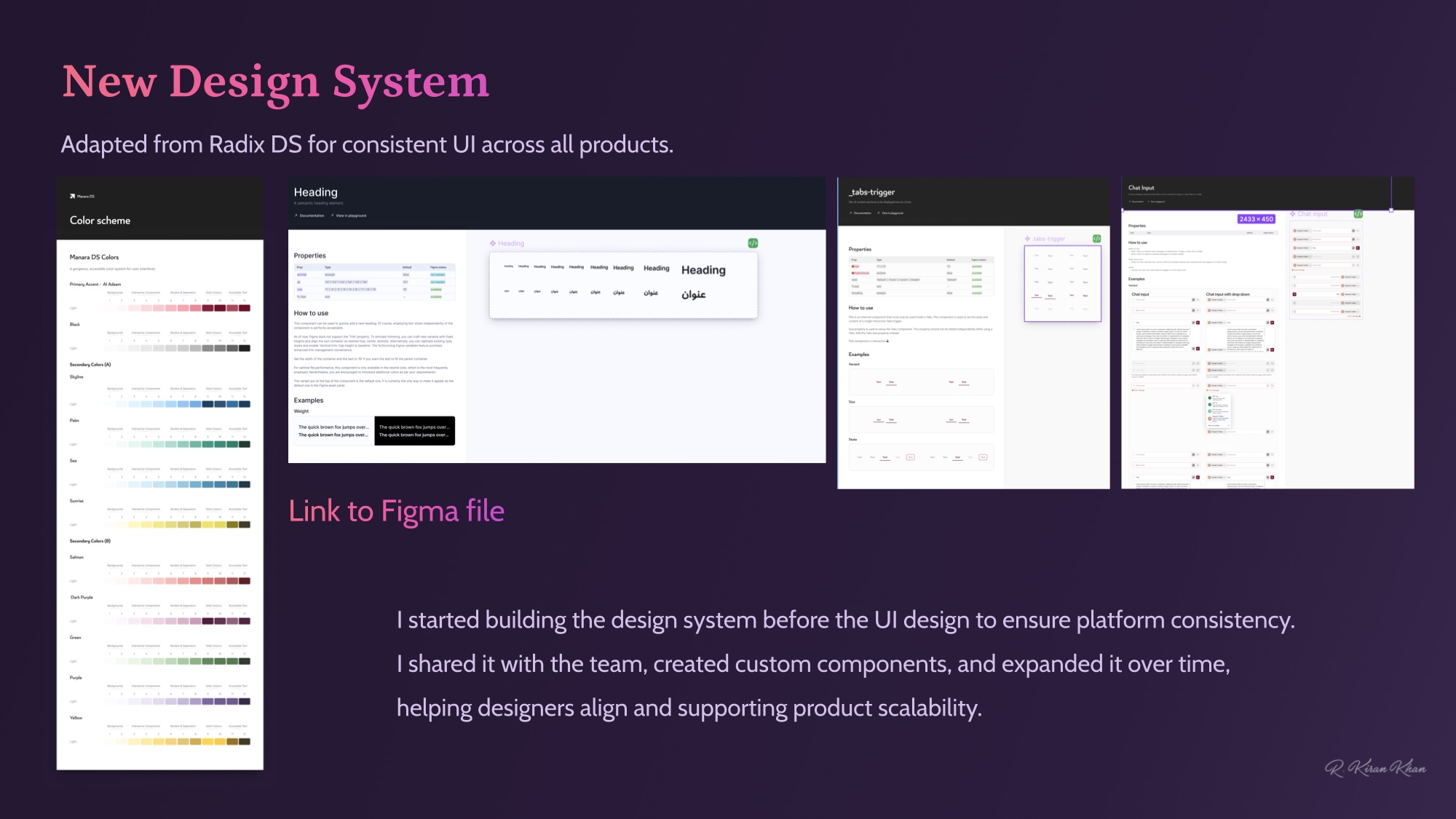
Stood up a custom design system (Manara DS, adapted from Radix) before any UI design, so every surface launched on the same component grammar — and so the dev team had a contract from day one.
- 03
Bridge AI to teacher intent
Translated probabilistic AI outputs into surfaces teachers could trust and act on — concept mastery, AI reliance scores, transparent generation. Insight first; algorithm second.
- 04
Localise to national scale
Designed bilingual Arabic (RTL) / English (LTR) in parallel — same components, mirrored layouts, curriculum-aligned content. Shipped at Ministry-of-Education scale, not as an afterthought layer.
Research & ideation
Insights, paired with business reality.
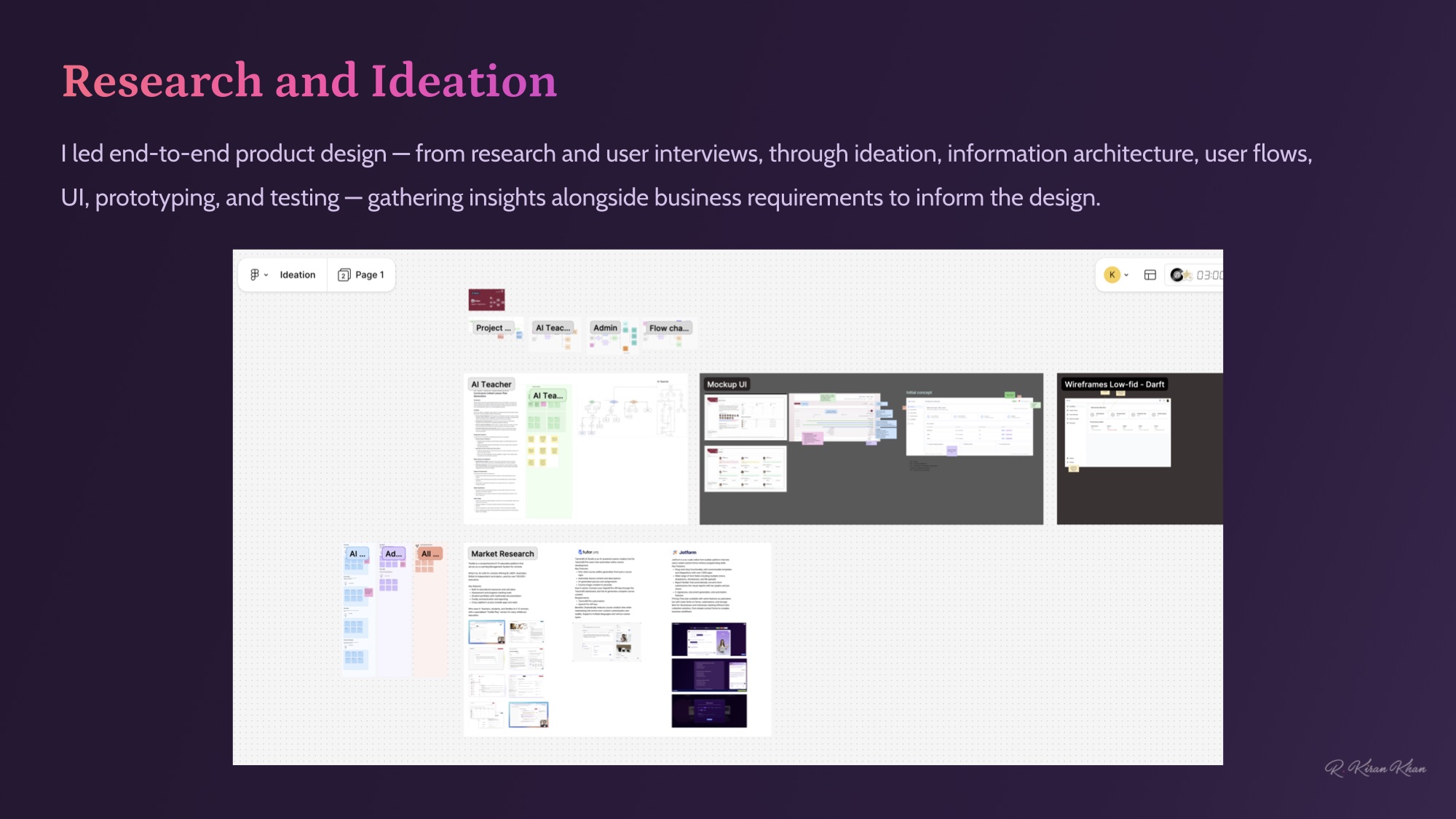
End-to-end product design — user interviews and market research through IA, user flows, UI, prototyping and testing. Insights gathered alongside the Ministry’s business requirements to inform every direction.
Design system
Built the system before the UI.
Adapted from Radix DS for accessible primitives and platform consistency. I started building the system before the UI, shared it across the team, created custom components, and expanded it as new surfaces came online — so designers and engineers stayed aligned and the platform stayed scalable.
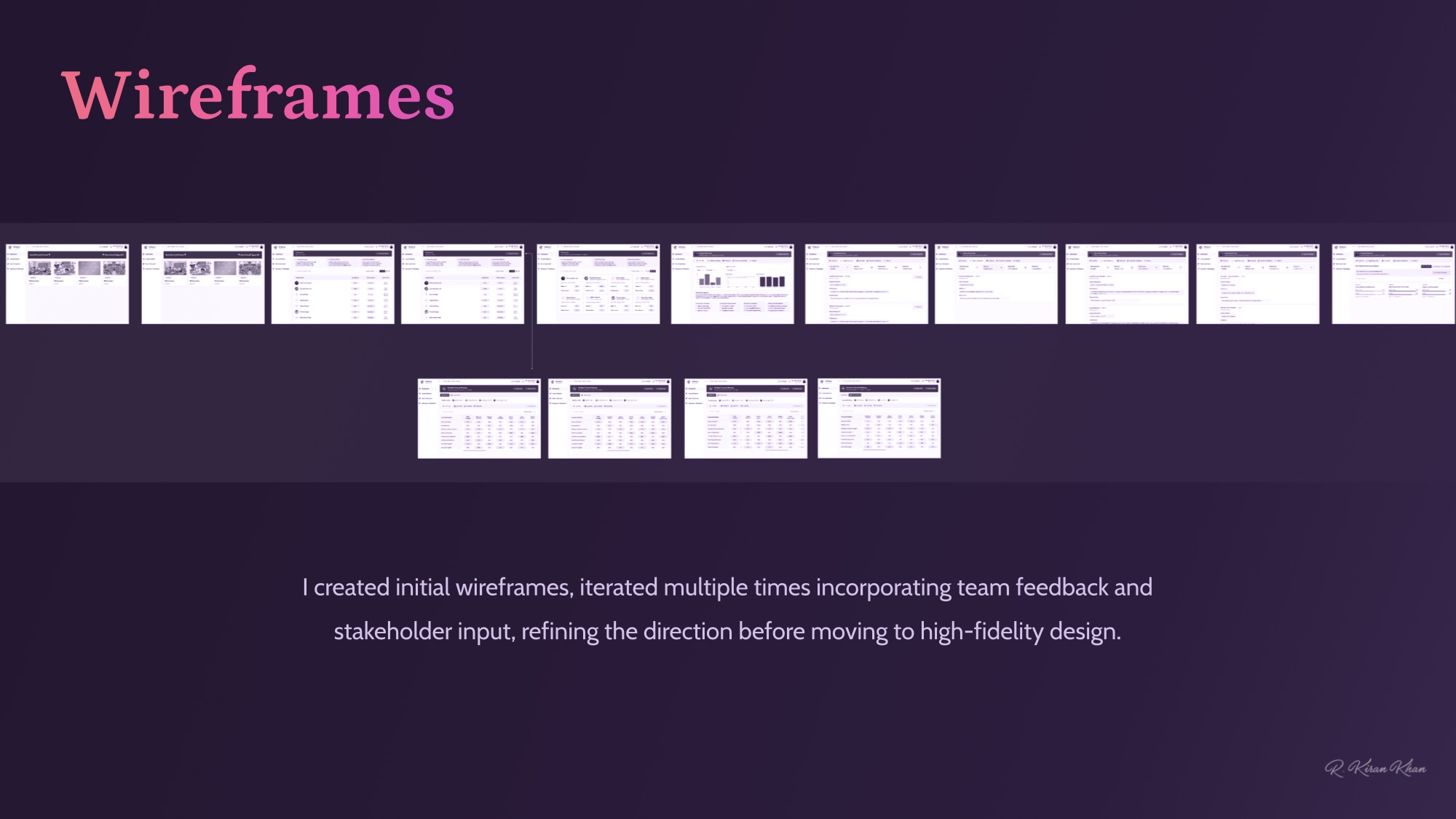
Wireframes
Iterate cheap, ship sharp.
Multiple iteration rounds — team feedback, stakeholder input, and curriculum-expert review — refined the direction before any pixel pushed in high-fidelity.
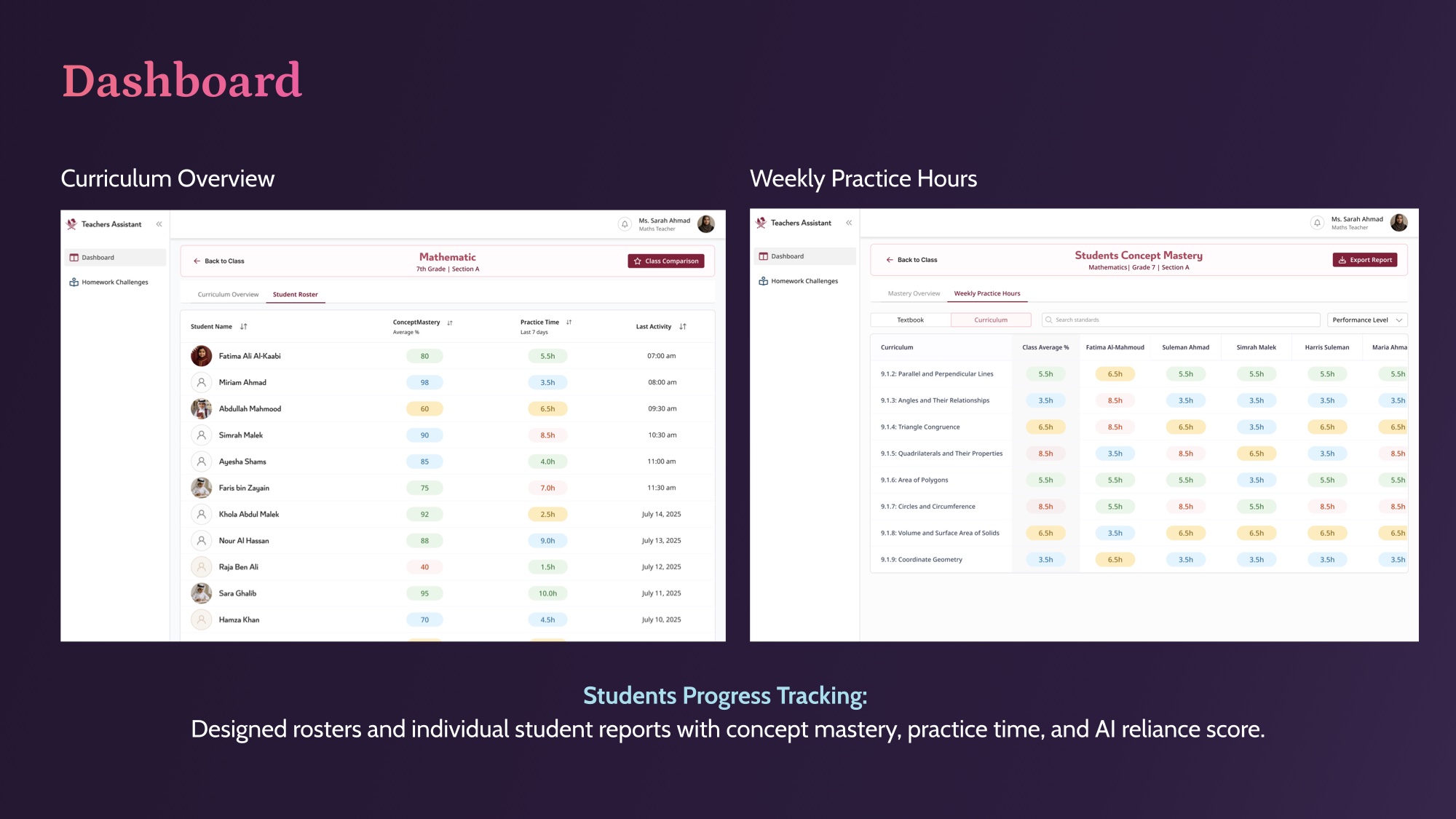
Dashboard
Progress, at a glance.
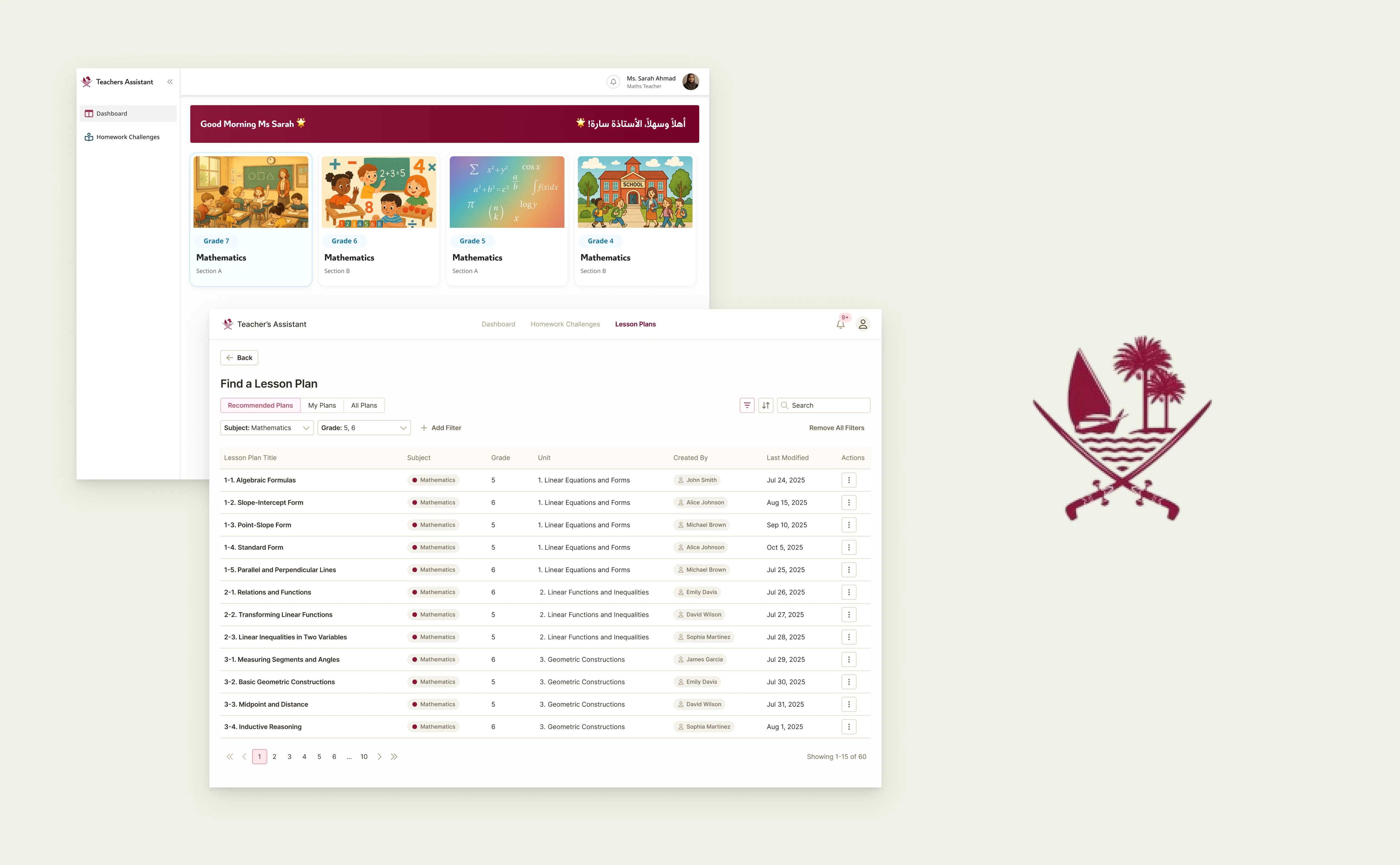
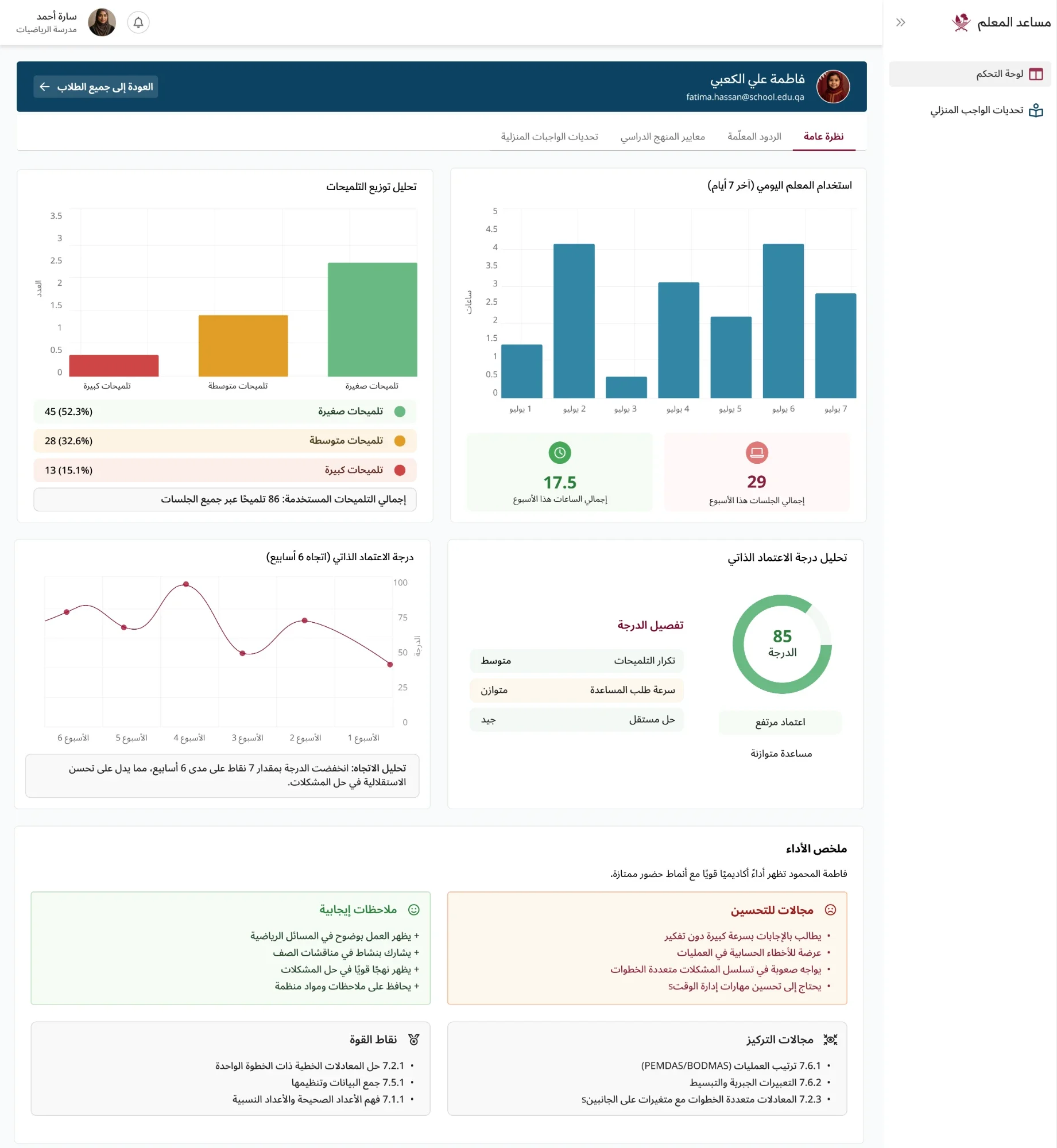
Designed rosters and individual student reports built around concept mastery, practice time, and an AI reliance score. A teacher scanning the screen sees who’s on track, who isn’t, and where to direct attention next.
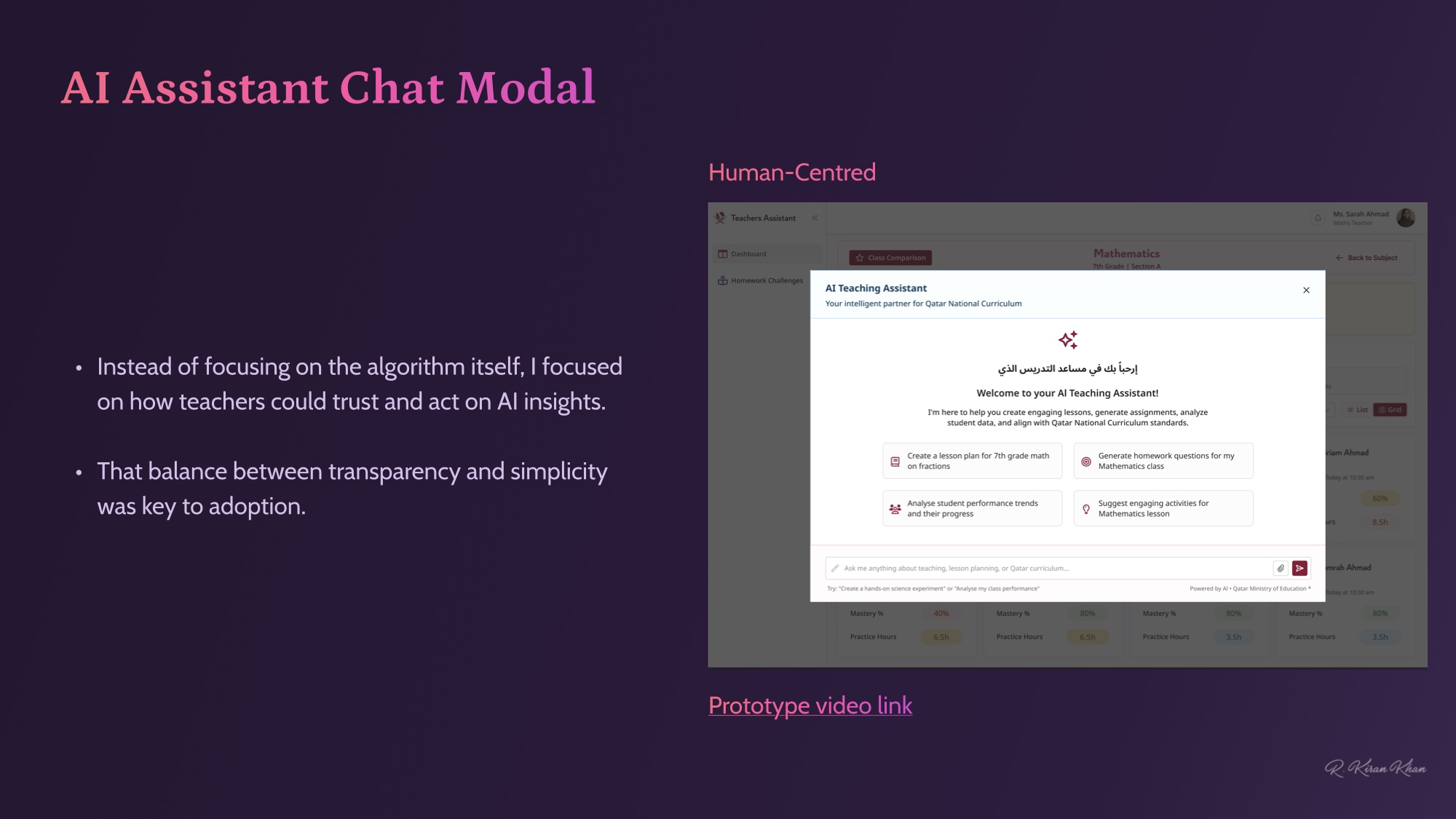
Human-centred AI
Trust before sophistication.
Instead of leading with the algorithm, I focused on how teachers could trust and act on AI insights. That balance between transparency and simplicity was the thing that drove adoption — clear sources, declared capabilities, no black-box surprises.
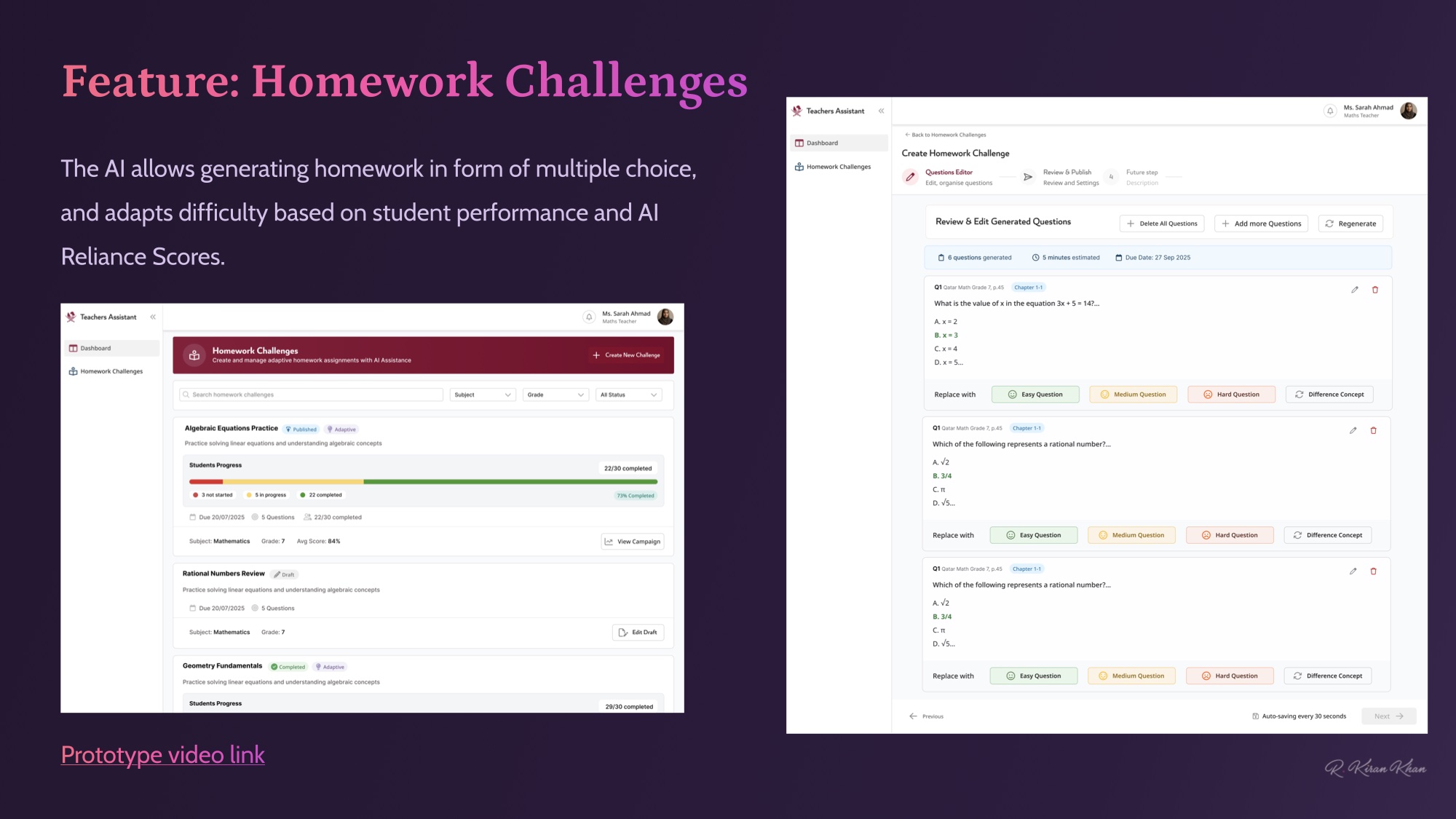
Feature · Homework Challenges
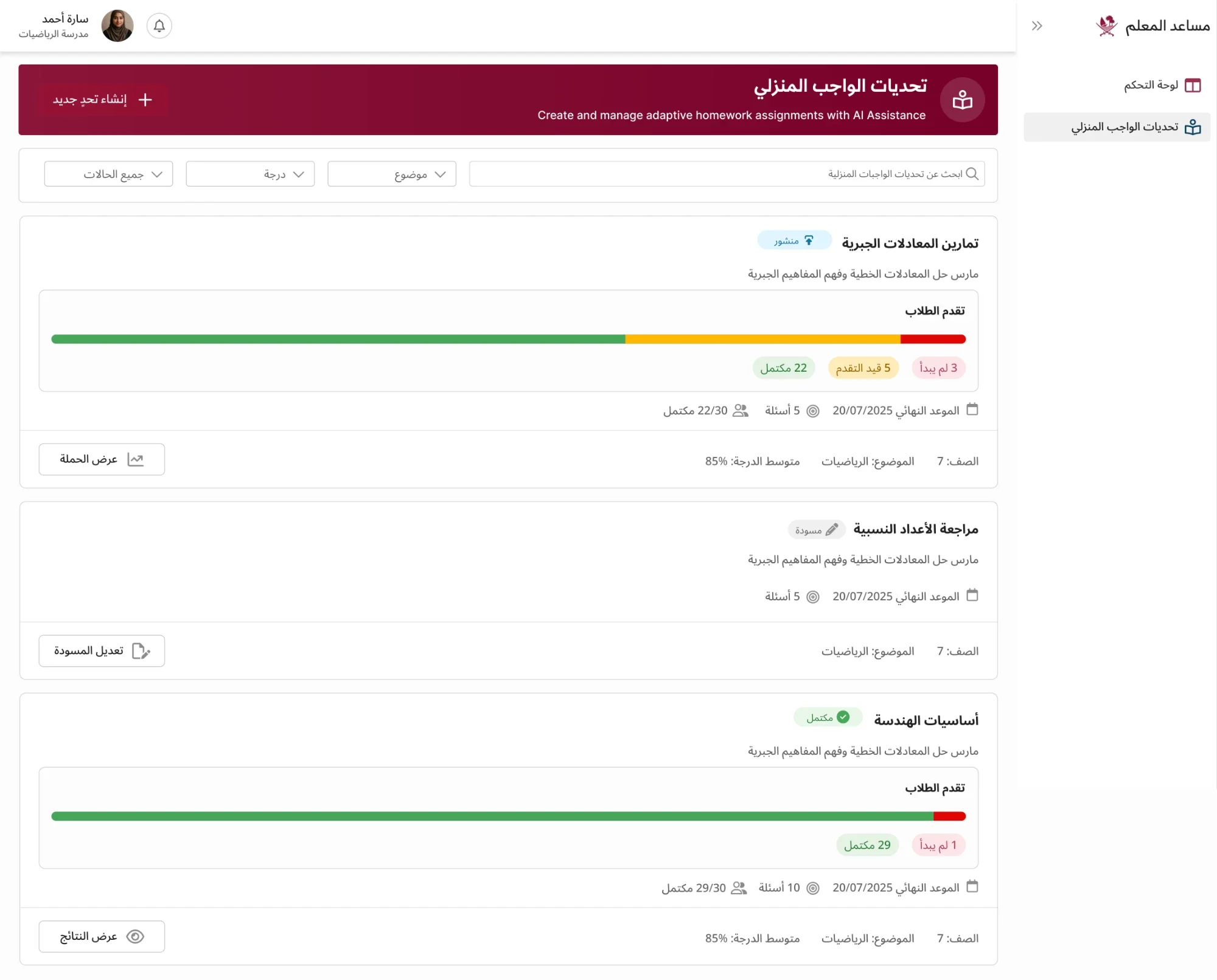
Difficulty that follows the student.
AI-generated multiple-choice homework that adapts to student performance and AI Reliance Scores. Teachers stay in control — the AI proposes, the teacher confirms, and the difficulty curve adjusts as the class works through the term.
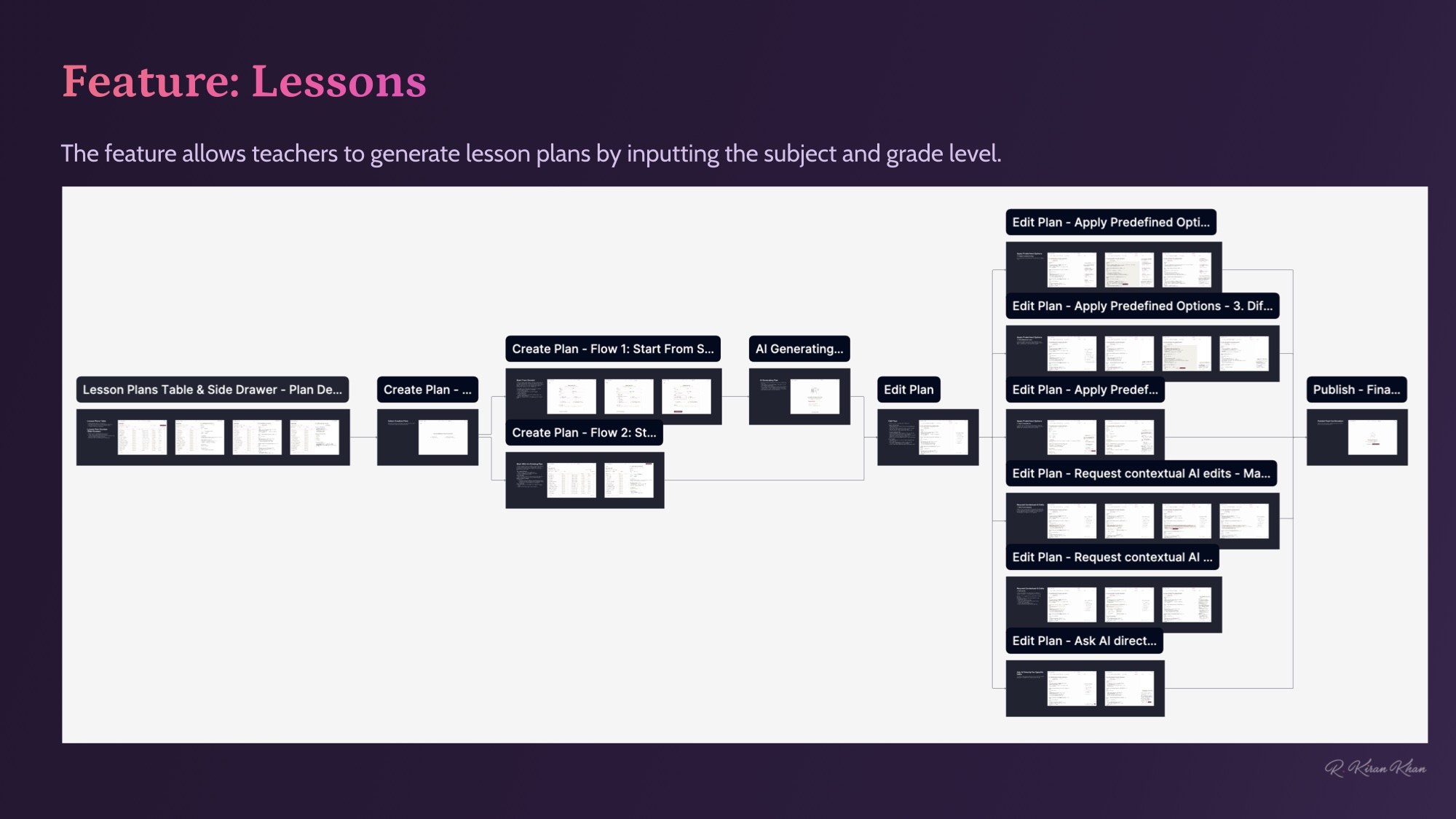
Feature · Lessons
Lesson plans, generated from scope.
Teachers input subject and grade; the AI returns a curriculum-aligned lesson plan they can edit, save and share. Same source of truth as the homework engine — the generated content stays consistent across surfaces.
Arabic RTL
Shipped bilingual, not translated.
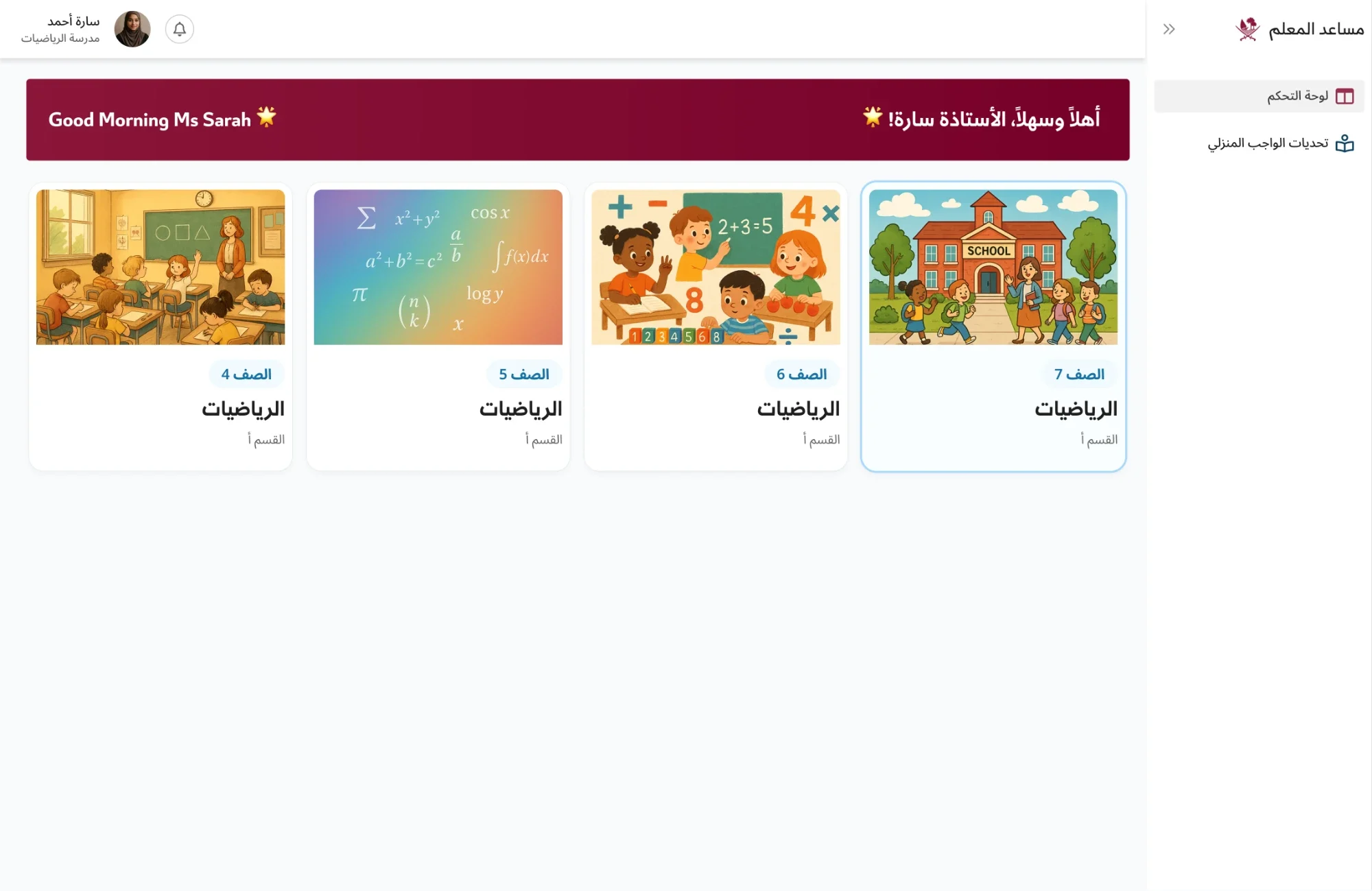
Every surface was designed in Arabic (RTL) and English (LTR) in parallel from the same component system — same behaviour, mirrored layouts, Arabic-first typography and numerals. Below: teacher home, homework challenges, and individual + class mastery insights, all live in the production Arabic build.
Demos & feedback
Eleven teachers. Three students. Real classrooms.
Clickable prototypes were shared with 11 teachers and 3 students from Qatar — feedback collected on dashboard clarity, the homework-creation flow, and how AI insights surfaced. The insight that mattered most: teachers loved the time saved, but emphasised the need for transparency — understanding how the AI Reliance Score was calculated, and ensuring students weren’t leaning entirely on AI.
Tight timelines meant full usability sessions weren’t possible — but teacher feedback shaped the iterations that shipped, and made sure every feature lined up with real classroom needs.
Outcomes
Praised for humanising AI.
Scalable & teacher-friendly
Simplified assignment creation and progress tracking across the platform.
Clear student insights
Teachers can see learning patterns and identify areas needing attention at a glance.
Intuitive AI features
Made complex AI outputs actionable and understandable — not a black box.
Stakeholder approval
Praised for clarity, scalability, and humanising AI insights. Arabic version designed in parallel.
Bilingual Arabic-RTL / English-LTR shipped in parallel. Stakeholder approval at the Ministry level — not a pilot, a national rollout.